Official or Custom NBA 2K27 Rosters: A U4GM Comparison
Posted by LiLi Zhang
Filed in Other 15 views
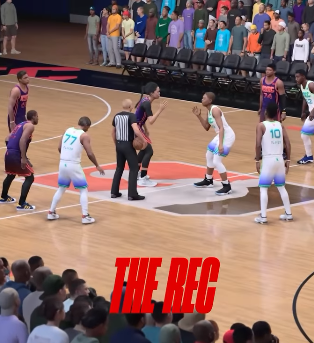
Official rosters are the better starting point for standard NBA 2K27 team data; custom rosters suit a specific season, edited lineup, or historical setup. Keep any interest in NBA 2K27 MT separate from your roster selection decision. Choose the player database first, then confirm that your selected mode actually loads its teams, ratings, and positions.
Choose Official Data for Standard Teams, Custom Data for Specific Changes
Use an official roster when you want the player and team data supplied with the game and its updates. Use a custom roster when you deliberately want changes to team assignments, ratings, or the available player pool. A newer file date alone does not make a community file more accurate.
| Decision point | Official roster | Custom roster |
|---|---|---|
| Best use | Standard team and player data | Edited teams or a specific season |
| Ratings and positions | Supplied through official updates | Reflect the creator's choices |
| Main check | Available updates and loaded player data | Platform, description, date, and requirements |
| Main limitation | May not match your intended historical or edited setup | Availability and completeness require inspection |
Historical files need closer inspection than their headline season suggests. A roster can change the player pool without supplying every asset needed for a complete historical presentation. Availability on one platform also does not establish availability elsewhere.
Compare Attributes and Rotation Depth, Not Just Overall
The deciding numbers are the attributes needed for each player's assignment, not overall rating alone. Compare passing and perimeter defense for a guard, then mobility and interior defense for a center. Check positions and badges as well, since an update can change more than the overall number.
Build the rotation from the loaded roster rather than from a remembered lineup. Identify the primary ball handler, reliable scoring options, defensive assignments, and players who provide spacing. Then inspect the reserves: strong starters do not solve a shortage of ball handling or interior defense on the second unit.
Custom edits create an extra checking task because familiar names may carry unfamiliar attributes or positions. Read the relevant player details before assigning minutes. For a historical file, inspect every position rather than judging the roster by its best-known stars.
Select the File and Verify It Inside the Mode
The useful confirmation is changed player data inside the selected mode, not a file appearing in search results. Exact menu labels vary by mode, so use this functional sequence rather than treating it as a fixed menu label: selected mode > available roster selection or customization > intended file > player inspection.
Connect the game and check for available game and roster updates when choosing official data.
Open the roster selection options supported by your intended mode. For a community file, search using its available name or creator details.
Read the platform, intended season, file date, description, and additional requirements before selecting it.
Inspect several teams after loading. Choose a player whose team assignment, position, or rating should visibly differ from the previous roster.
Start a short game or create a separate league save. Confirm that the expected players and ratings remain present after the mode begins.
A search result confirms that you found a file, not that the mode adopted it. Likewise, a video labeled NBA 2K27 may show an edited older game. Check the actual game and platform before spending time trying to reproduce its lineup.
Protect Your Save Before Making More Changes
An existing league may preserve its own player data instead of adopting a newly selected roster. When expected changes are missing, compare that save with a separate new league created using the intended file. Do not overwrite your main save merely to check whether roster selection worked.
For a community file, return to its description and inspect any version or missing-file requirements. If it is unavailable on your platform, choose a compatible alternative from the available selection. Keep a separate save before extensive edits, then check both starters and reserves.
Before considering NBA 2K MT Coins for sale, finish the roster check: select the intended file, create a separate league, and inspect one changed player plus the starting lineup. Commit to the season only after those details match the roster you selected.